HOMEWORK 1
Project Management - Prepare
Homework 1: Prepare
1. Prepare
We will use the following tools to build our own webpage:
- Git: Used for version control. No installation required on Mac, mainly for configuration.
- GitHub: Used as the hosting service for our webpage.
- GitHub Desktop: Makes it easy for us to upload code from local to GitHub.
- Lingma: Used for writing documents and code.
2. Web page setting
注意:仓库是原先已经建好的,下面是操作示范。
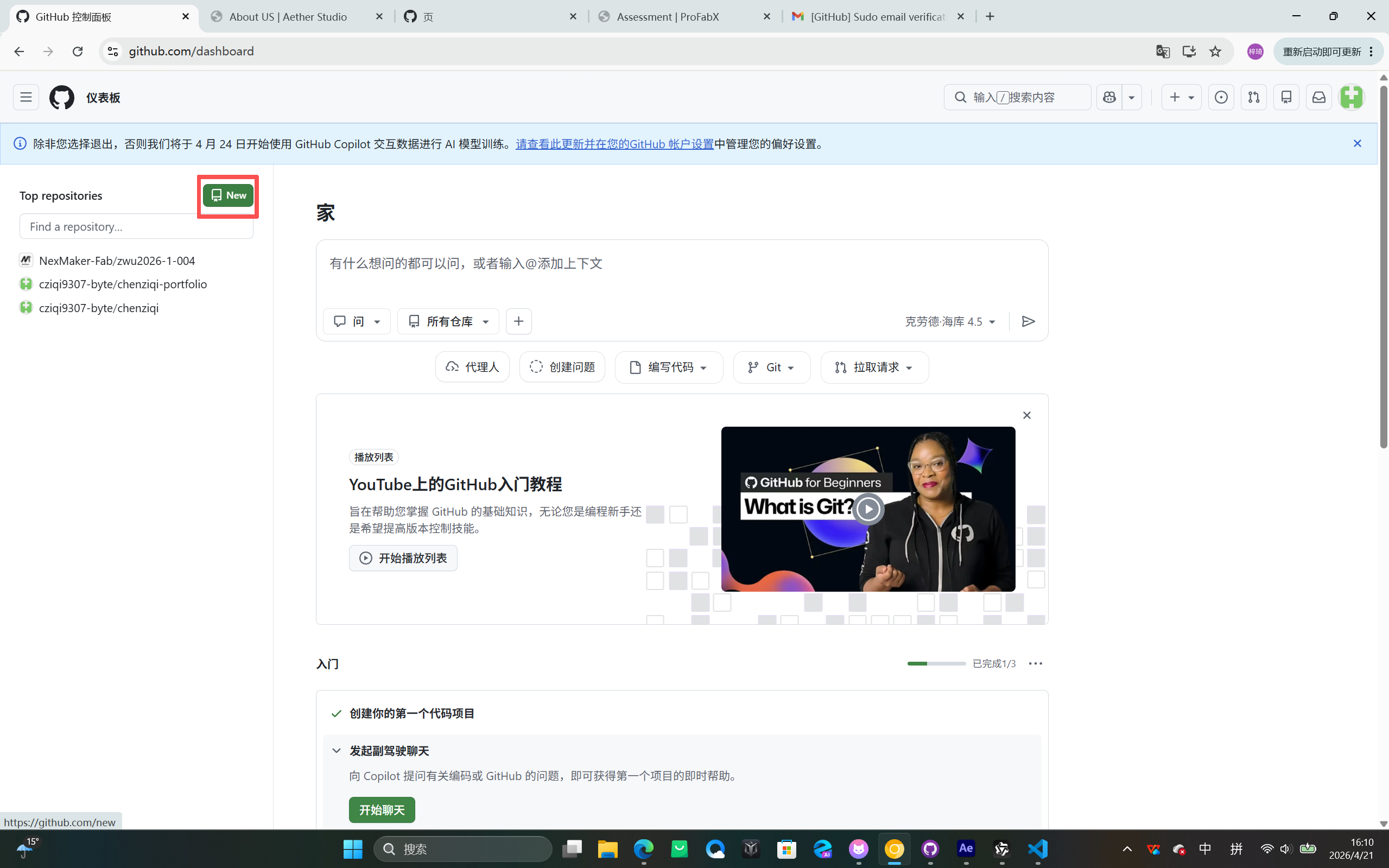
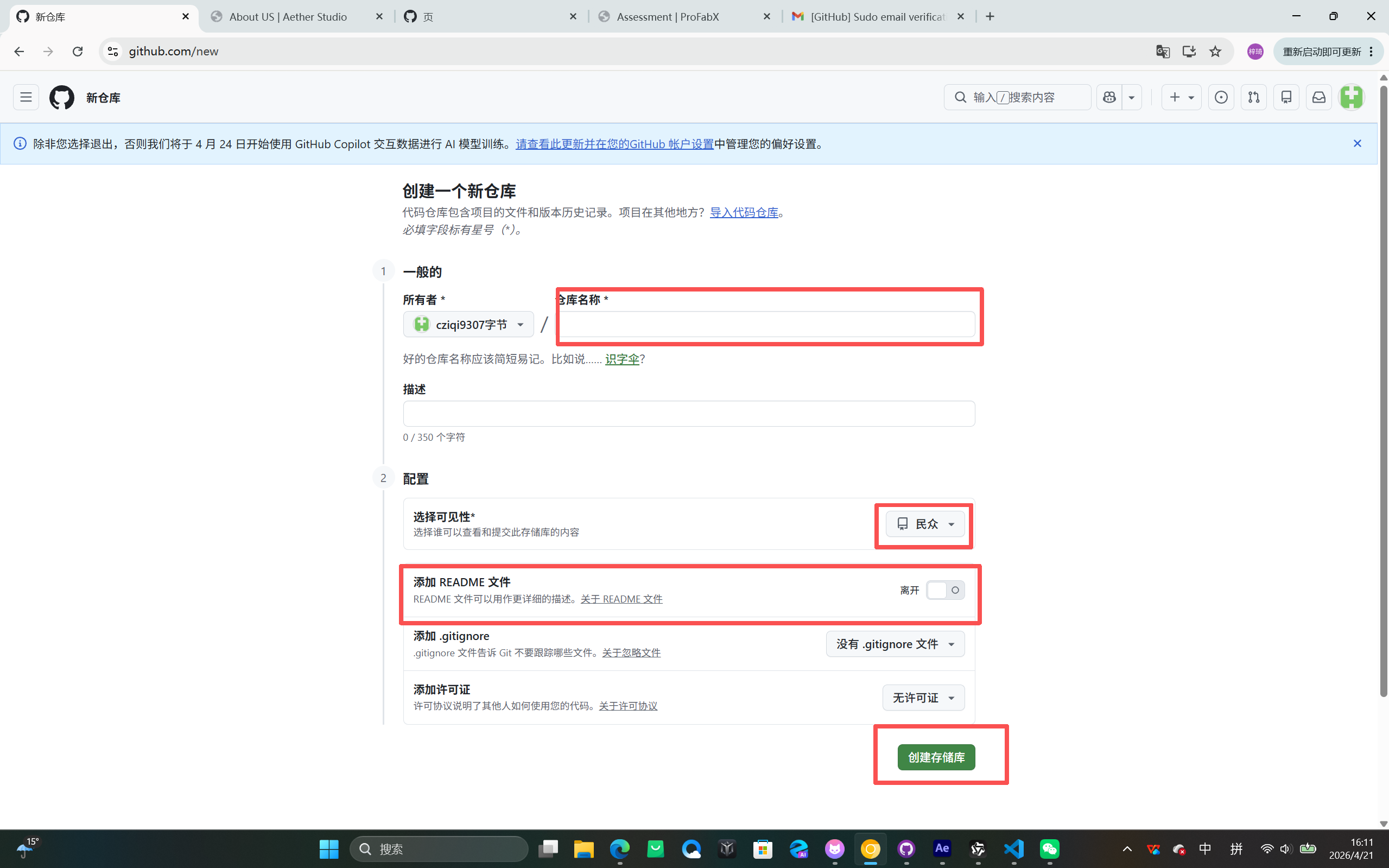
Create a new repository on GitHub to host your website
Create a public repository where you can collaborate with your team to create web content.
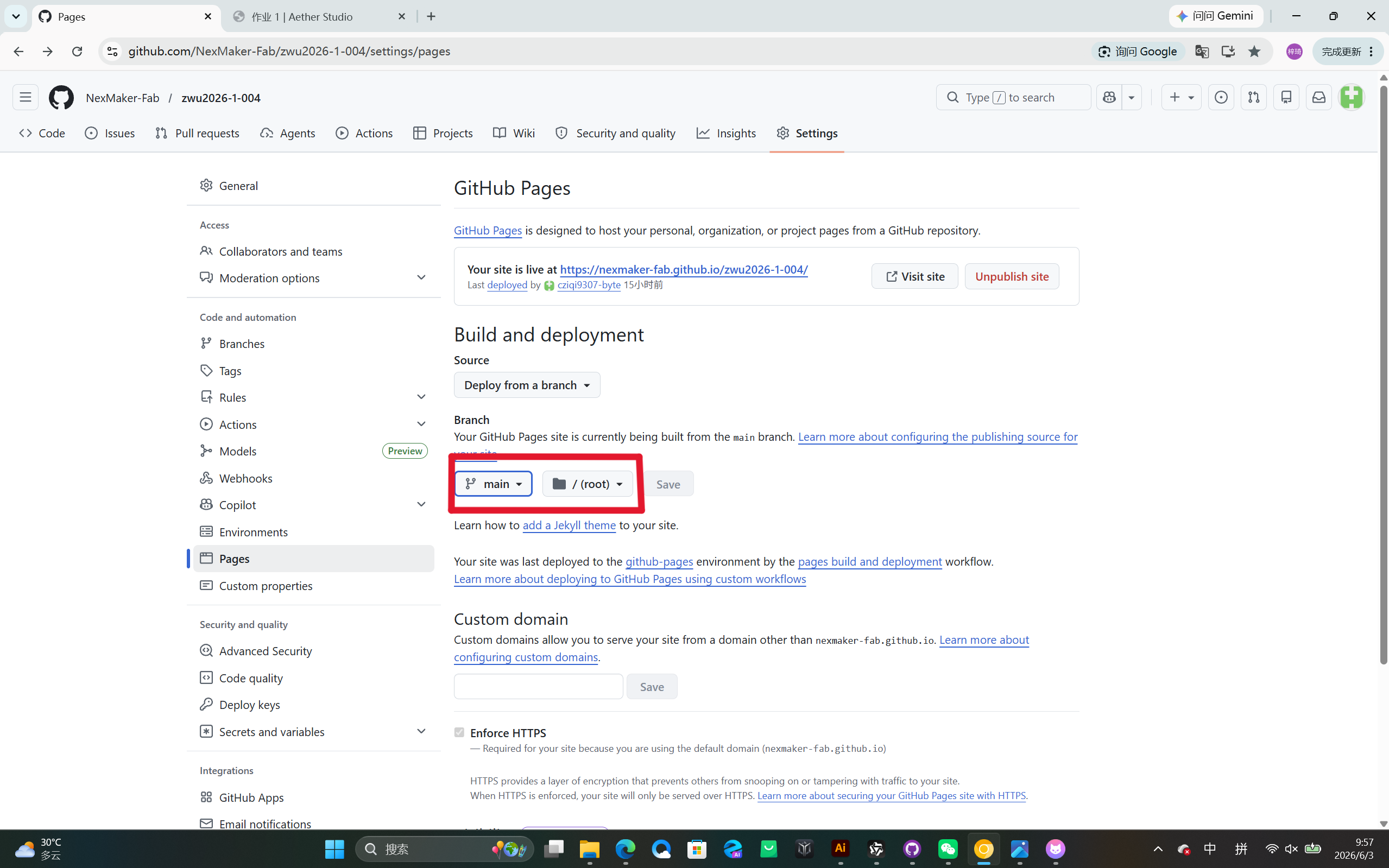
Configure GitHub Pages
Set the page to be empty. Click on the settings of the repository and select "Pages" on the left. Choose "main" and "/root" and save. The link above allows you to view the page.
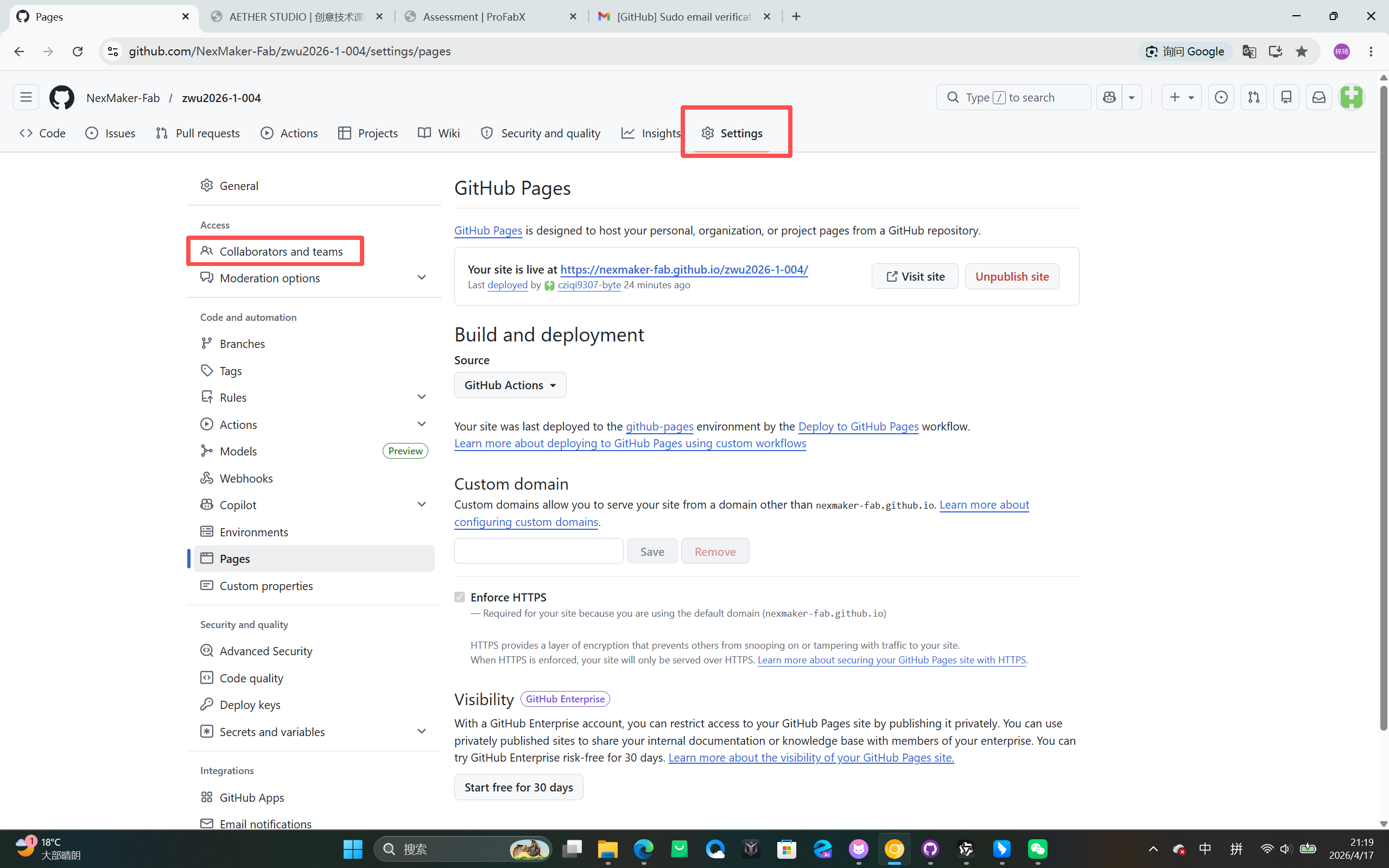
Add Collaborators
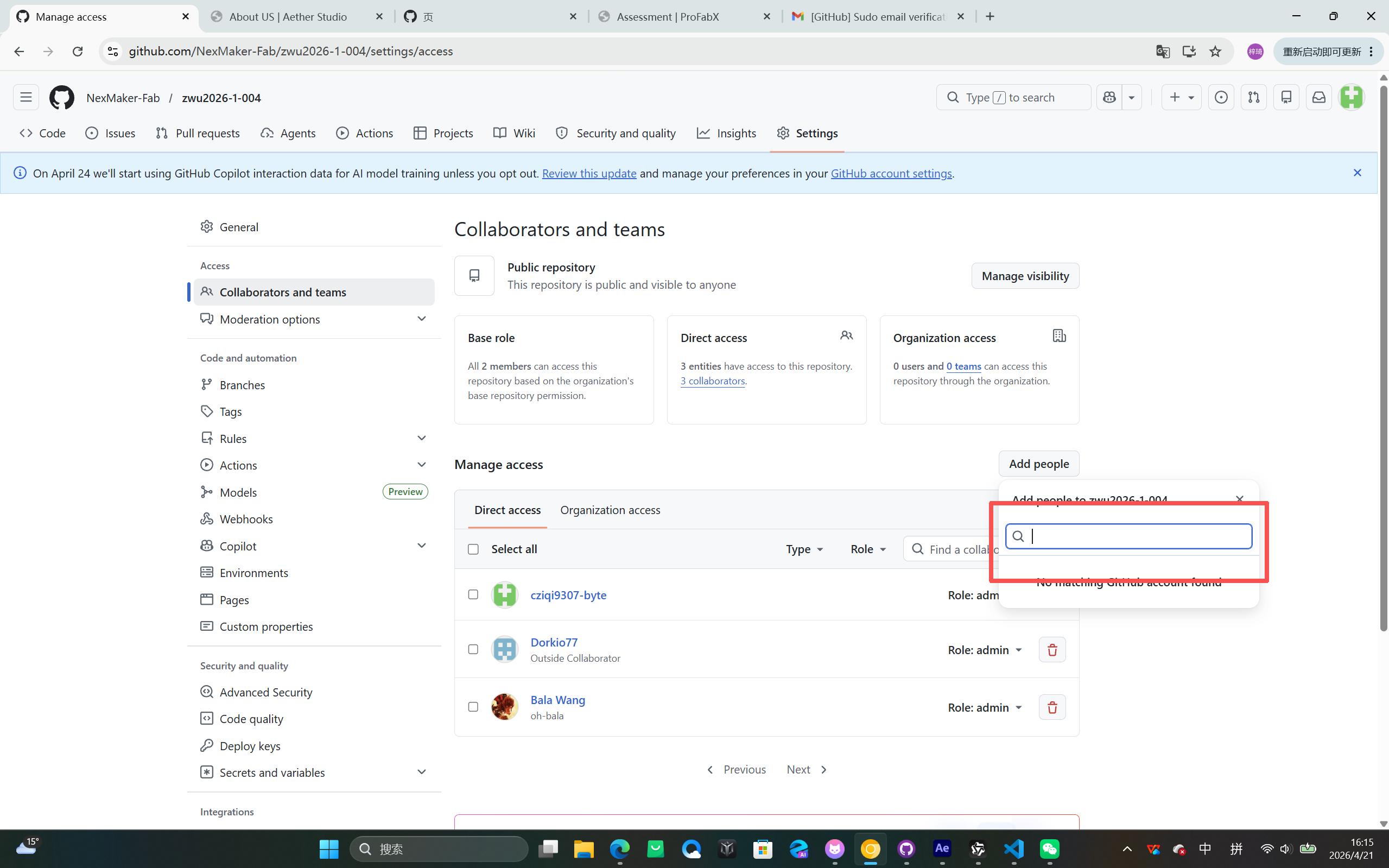
Click on "Settings", find "Collaborators" on the left, then click "Add people", enter their email addresses, and set their role (maintainer).
3. Clone the repository to GitHub
Open GitHub Desktop and Login
Open the software and log in to your GitHub account.
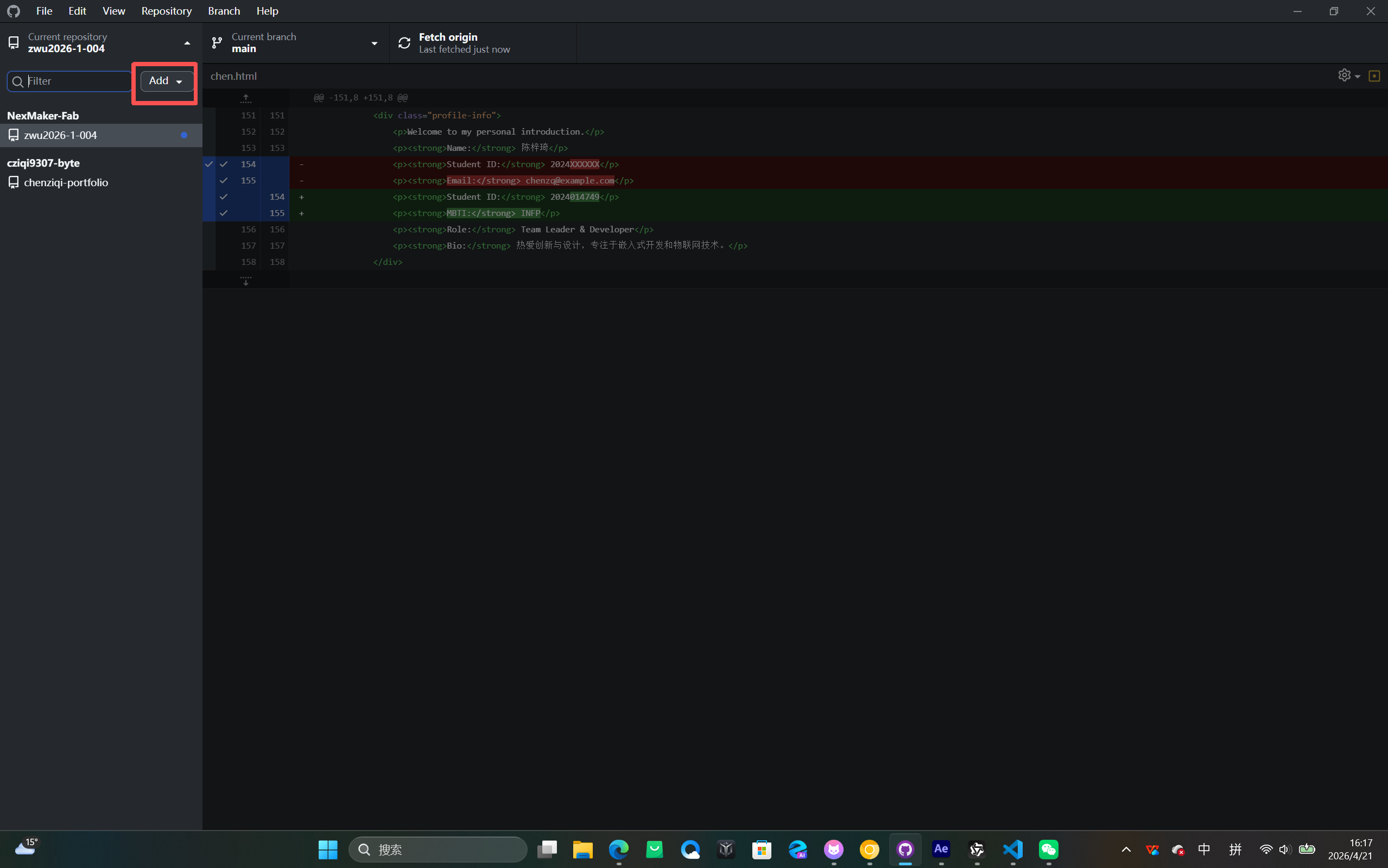
Clone the Repository
Clone the repository and select one to save to your computer.
Use Lingma for Website Development
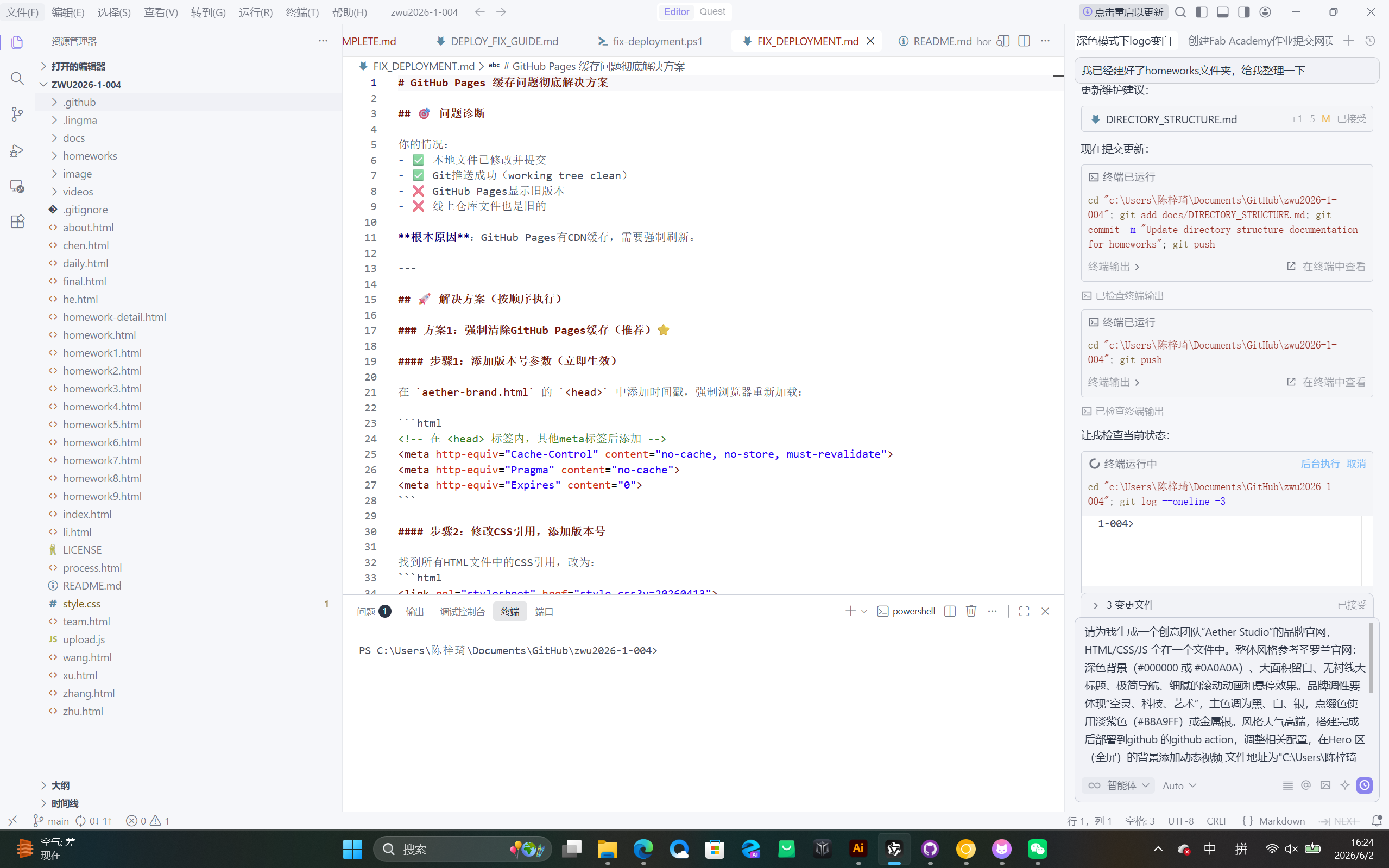
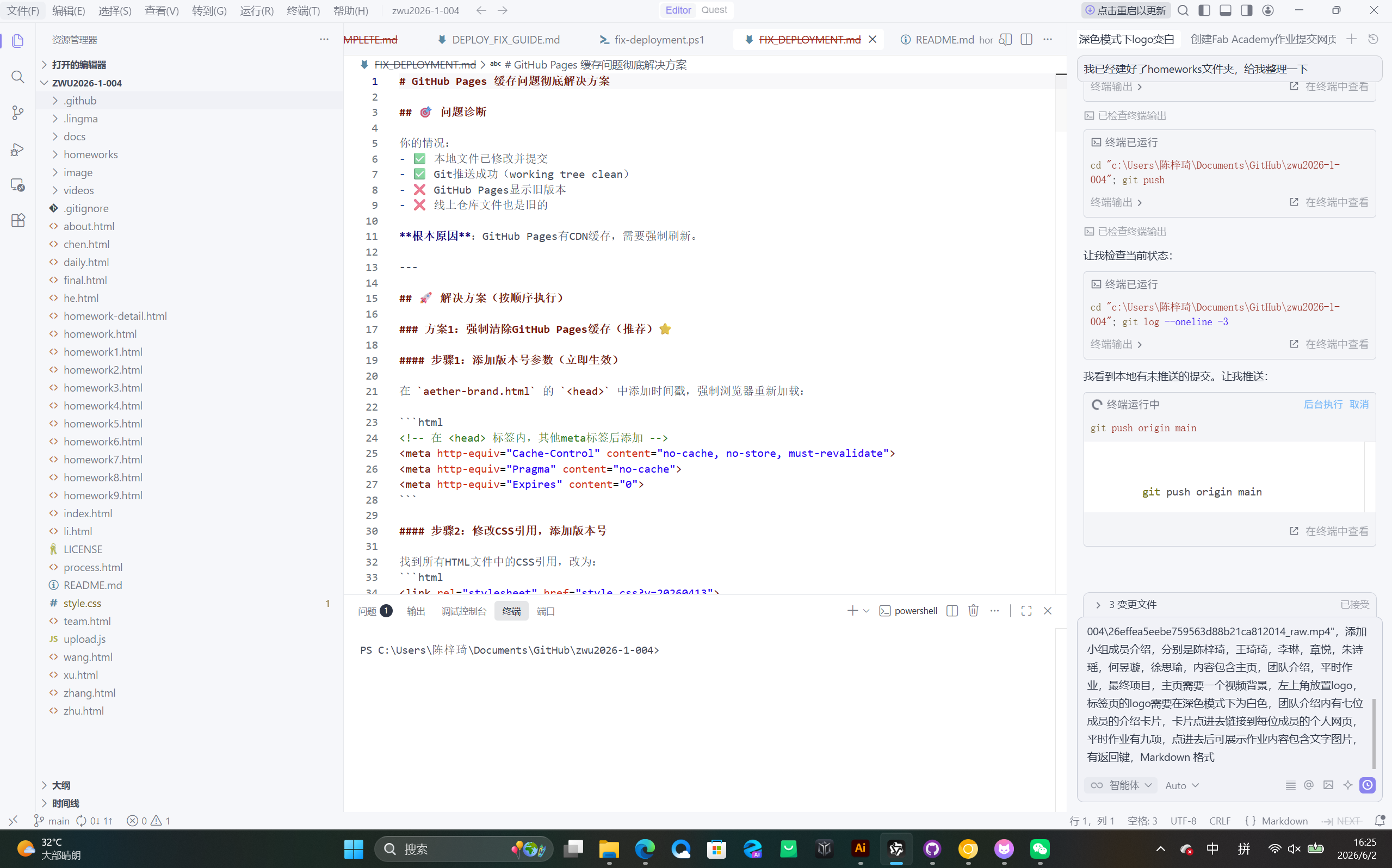
提示词:请为我生成一个创意团队”Aether Studio”的品牌官网,HTML/CSS/S全在一个文件中。整体风格参考圣罗兰官网:深色背景(#000000或#0A0A0A)、大面积留白、无衬线大标题、极简导航、细腻的滚动动画和悬停效果。品牌调性要体现”空灵、科技、艺术",主色调为黑、白、银,点缀色使用淡紫色(#B8A9FF)或金属银。风格大气高端,搭建完成后部署到github 的github action,调整相关配置,在Hero 区(全屏)的背景添加动态视频文件地址为“C\Users陈梓琦04126effea5eebe759563d88b21ca812014_raw.mp4”,添加小组成员介绍,分别是陈梓琦,王琦琦,李琳,章悦,朱诗瑶,何昱璇,徐思瑜,内容包含主页,团队介绍,平时作业,最终项目,主页需要一个视频背景,左上角放置logo,标签页的logo需要在深色模式下为白色,团队介绍内有七位成员的介绍卡片,卡片点进去链接到每位成员的个人网页,平时作业有九项,点进去后可展示作业内容包含文字图片有返回键,Markdown格式
Lingma is an AI-powered coding assistant that helps us write code and documents efficiently. It can generate code snippets, explain complex concepts, and assist with debugging, making the website development process faster and more productive.
Navigation Bar Setup Process
提示词:在首页上方建立导航栏分别通往四个页面 Home ,About US,Daily homework,Finalwork
The navigation bar is created at the top of the homepage, providing links to four main sections: Home (主页), About Us (团队介绍), Daily Homework (平时作业), and Final Work (最终项目). This allows users to easily navigate between different parts of the website.
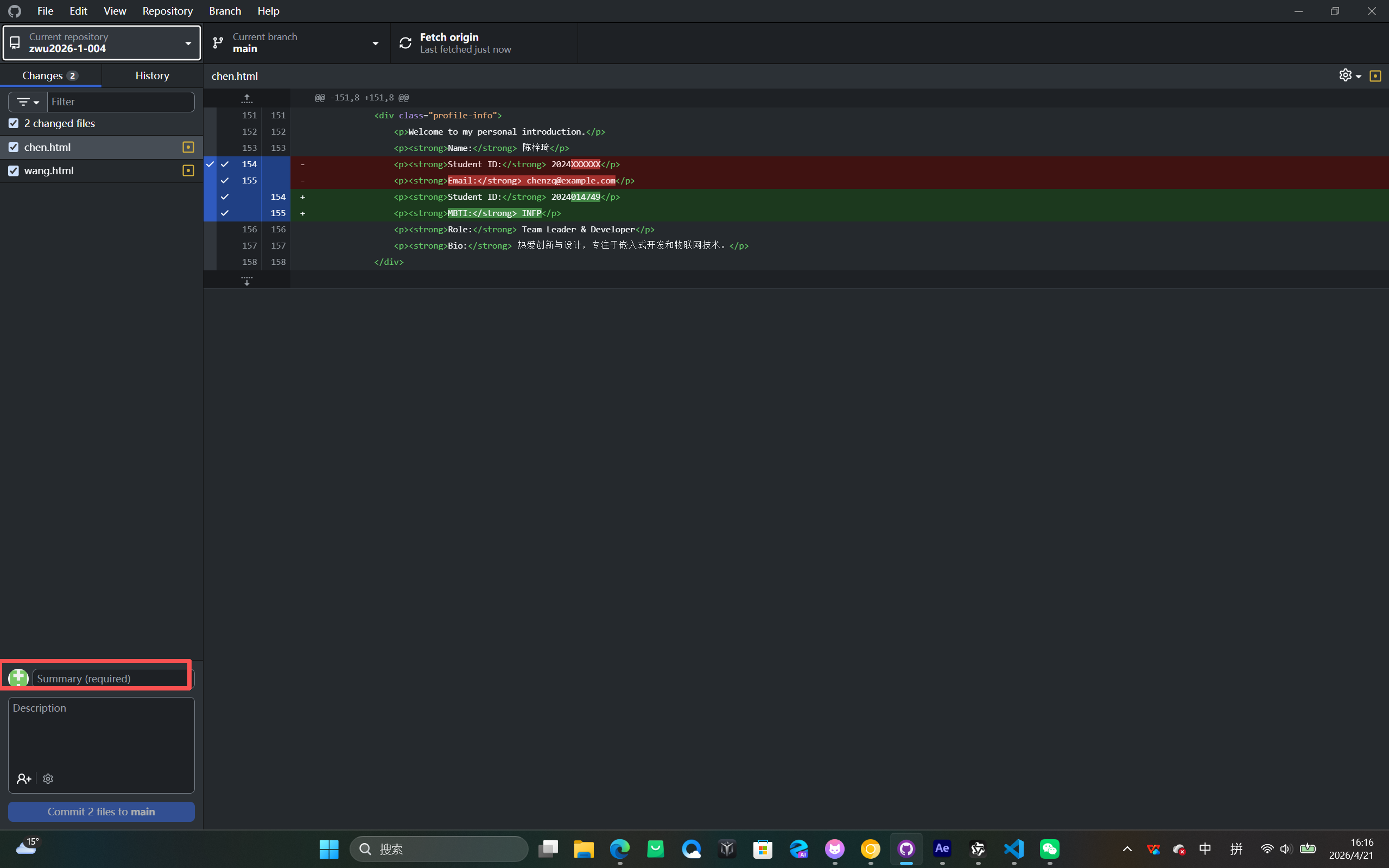
Modify Files and Commit
After modifying the files, write a commit note on the left side.
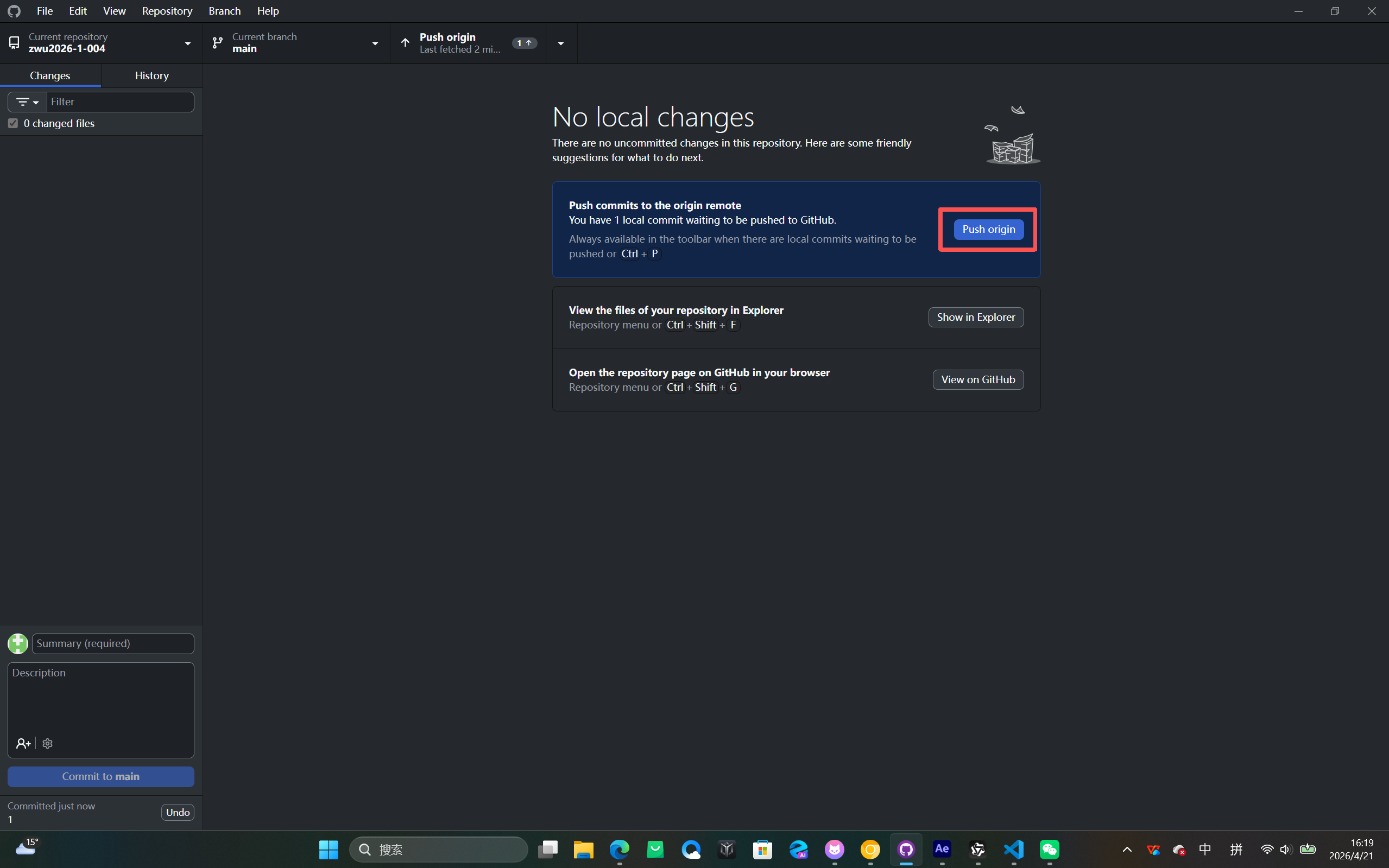
Push to GitHub
Click Push origin in the upper right corner to upload to GitHub.
Project Directory Structure Organization
After pushing to GitHub, we organized the project directory structure to improve maintainability. We created dedicated folders for documentation, images, videos, and other resources, making the project easier to navigate and manage.
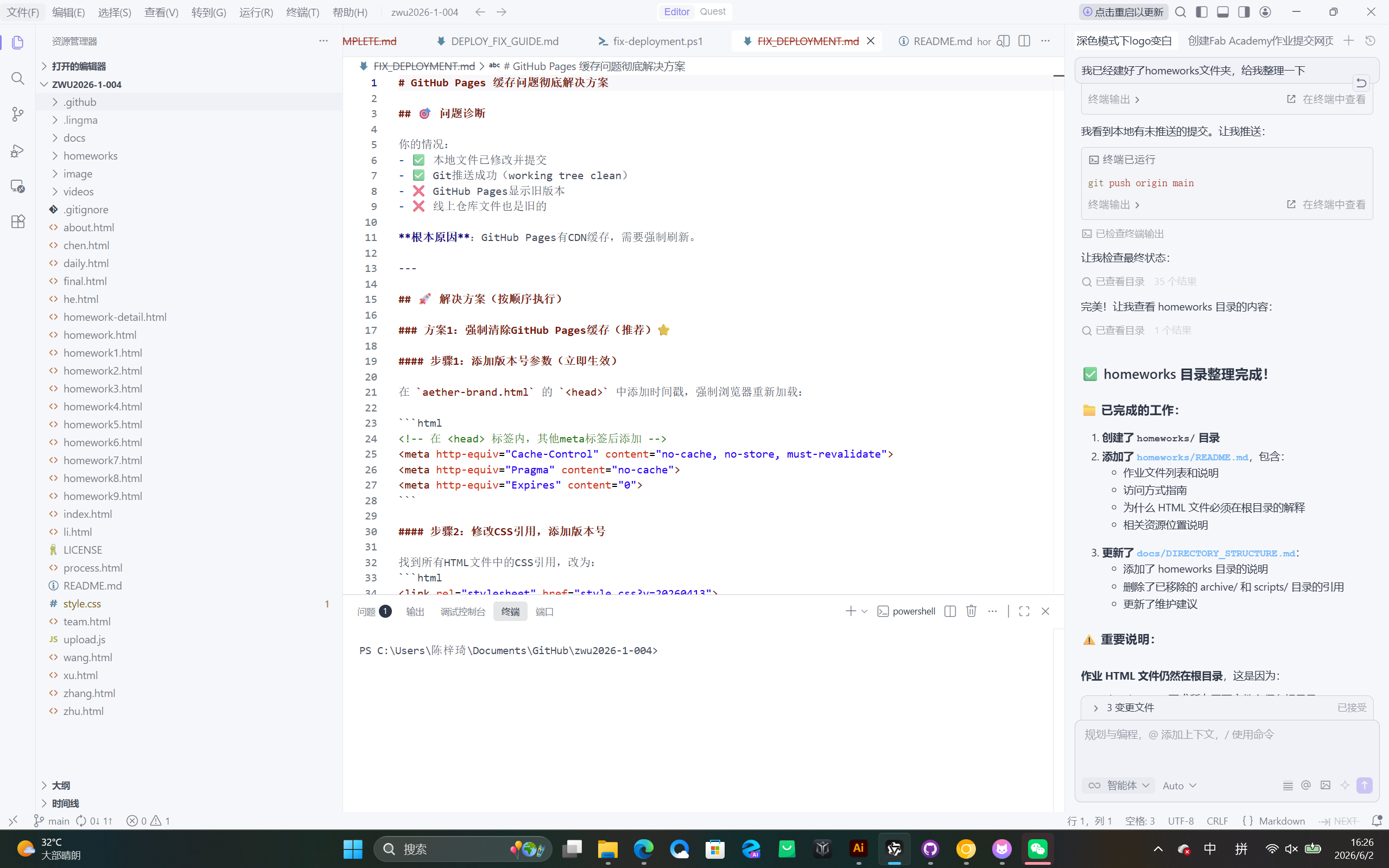
7. 项目文件与目录说明
根目录文件
- index.html - 网站主页,包含视频背景、团队介绍、作业列表和最终项目展示
- style.css - 全局样式文件,定义网站的视觉风格、颜色、字体和布局
- upload.js - 上传功能JavaScript脚本,处理文件上传逻辑
- about.html - 关于页面,介绍项目和团队信息
- team.html - 团队介绍页面,展示所有成员信息
- homework.html - 作业列表页面,汇总所有平时作业链接
- homework1.html ~ homework9.html - 九个平时作业的详细内容页面
- profile-chen.html, chen.html, wang.html, li.html, zhang.html, zhu.html, he.html, xu.html - 团队成员个人介绍页面
- README.md - 项目说明文档,包含项目介绍、技术栈和使用说明
- .gitignore - Git忽略文件配置,指定不需要版本控制的文件
图片资源目录 (image/)
- logo.png - 网站Logo图标
- homework1/ - 作业一的截图和图片资源(创建仓库、Pages设置、添加协作者等)
- homework2/ - 作业二的截图和图片资源(Arduino IDE、电路连接、核心组件等)
- homework4/ - 作业四的截图和图片资源(Fusion 360建模、装配、磁吸底座设计等)
视频资源目录 (videos/)
- homework2/flow-lamp-demo.mp4 - 作业二的流水灯演示视频
- homework4/ - 作业四的相关视频资源(如有)
GitHub工作流目录 (.github/workflows/)
- pages-rebuild.txt - GitHub Pages自动部署配置文件,用于触发网站重新构建
其他辅助文件
- deploy.bat - Windows批处理脚本,用于快速部署网站
- check-deployment.ps1, fix-deployment.ps1, optimize-favicon.ps1 - PowerShell脚本,用于检查、修复部署和优化favicon
- create-independent-site.ps1 - 创建独立站点的PowerShell脚本
- DEPLOYMENT_CHECKLIST.md, DEPLOYMENT_COMPLETE.md, DEPLOY_FIX_GUIDE.md - 部署相关文档
- FEATURE_UPGRADE_COMPLETE.md, MENU_OPTIMIZATION_COMPLETE.md - 功能升级和优化完成记录
- HOMEWORK1_IMAGE_GUIDE.md, INDEPENDENT_SITE_GUIDE.md, UPLOAD_FEATURE_GUIDE.md - 特定功能使用指南
- PROFILE_LINK_DEBUG.md, FIX_DEPLOYMENT.md - 问题修复和调试文档